Written from file-library reality
The app addresses the routine asset problems teams know: finding files, previewing them, and attaching them to the right products.

Manage product imagery, manuals, documents, and other media in the same workspace as product information, content, channels, and partner access.
A file is useful when teams know what it belongs to and where it should appear. Utomo keeps assets categorized, previewable, and attached to products, families, and campaigns.
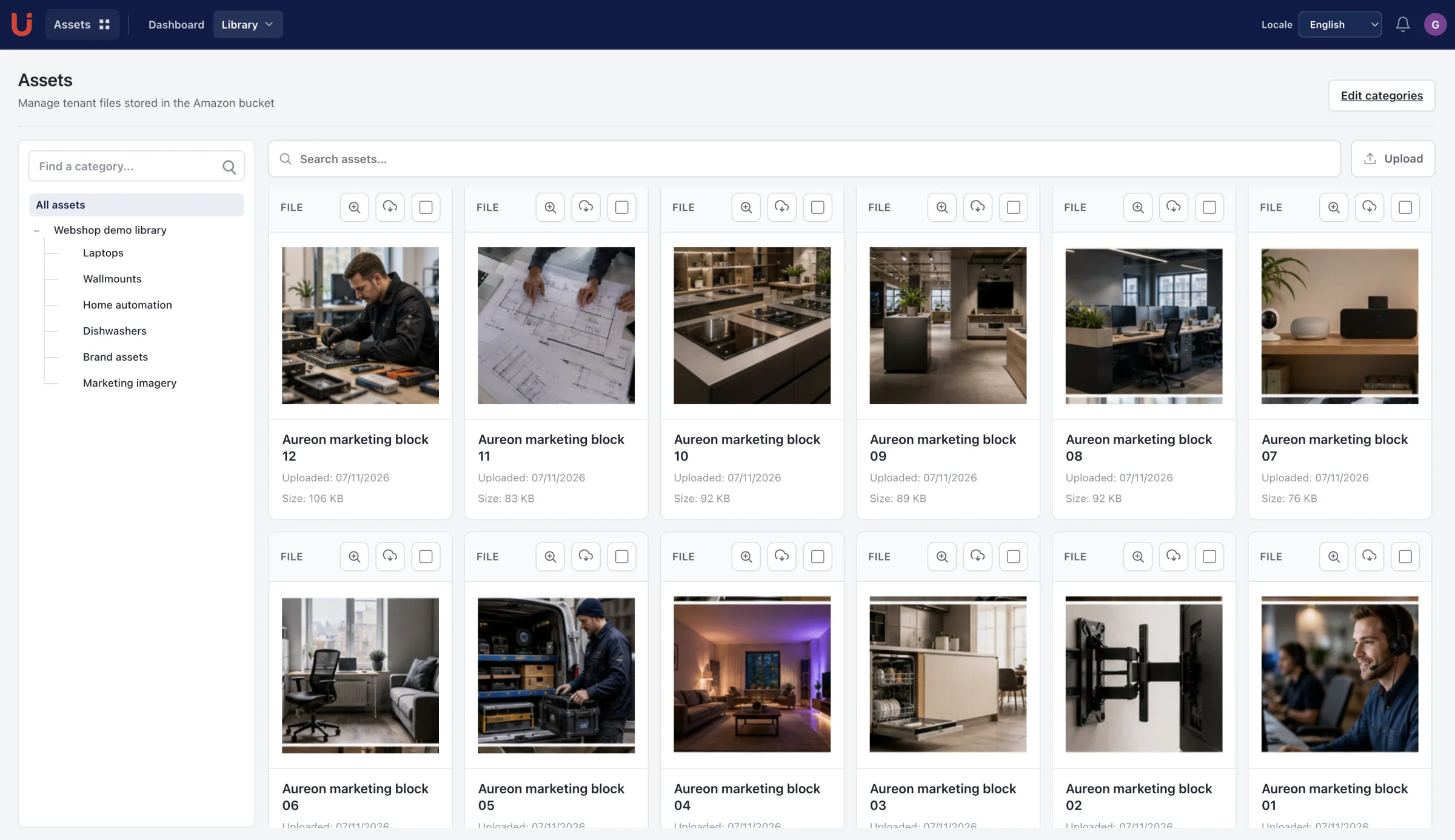
Clear product pages should show how the app works, where it fits, and what keeps the information controlled.
The app addresses the routine asset problems teams know: finding files, previewing them, and attaching them to the right products.
Assets are explained by category, product connection, thumbnails, campaign context, and reuse in approved output.
The page shows how assets support Products, Articles, Channels, Shop, and partner workflows rather than sitting alone.
Private workspaces and product links make it clear where an asset belongs and where it should be reused.
Browse product imagery, manuals, documents, and other media from a dedicated asset workspace.
Organize files with categories that reflect how product and marketing teams find and reuse them.
Attach assets to the products and product families that need them instead of relying on filenames and folder memory.
Keep campaign assets close to the product content they support.
Use drag-and-drop handling and thumbnails to make routine asset work faster and easier to verify.
Reuse approved product media when preparing channel output, shop content, partner material, and passport evidence.
The connection to product records removes the handoff between a file library and the apps that need product media.
Bring imagery, manuals, and documents into the managed asset overview.
Apply asset categories and verify files visually with thumbnails.
Attach each asset to the correct product, family, or campaign.
Use the approved asset wherever product content is published.
These are implemented Utomo capabilities, not roadmap promises or third-party network claims.
Use the 30 day trial to validate the structure, content, output, and governance your team needs.